


Docker: Accelerated Container Application Development
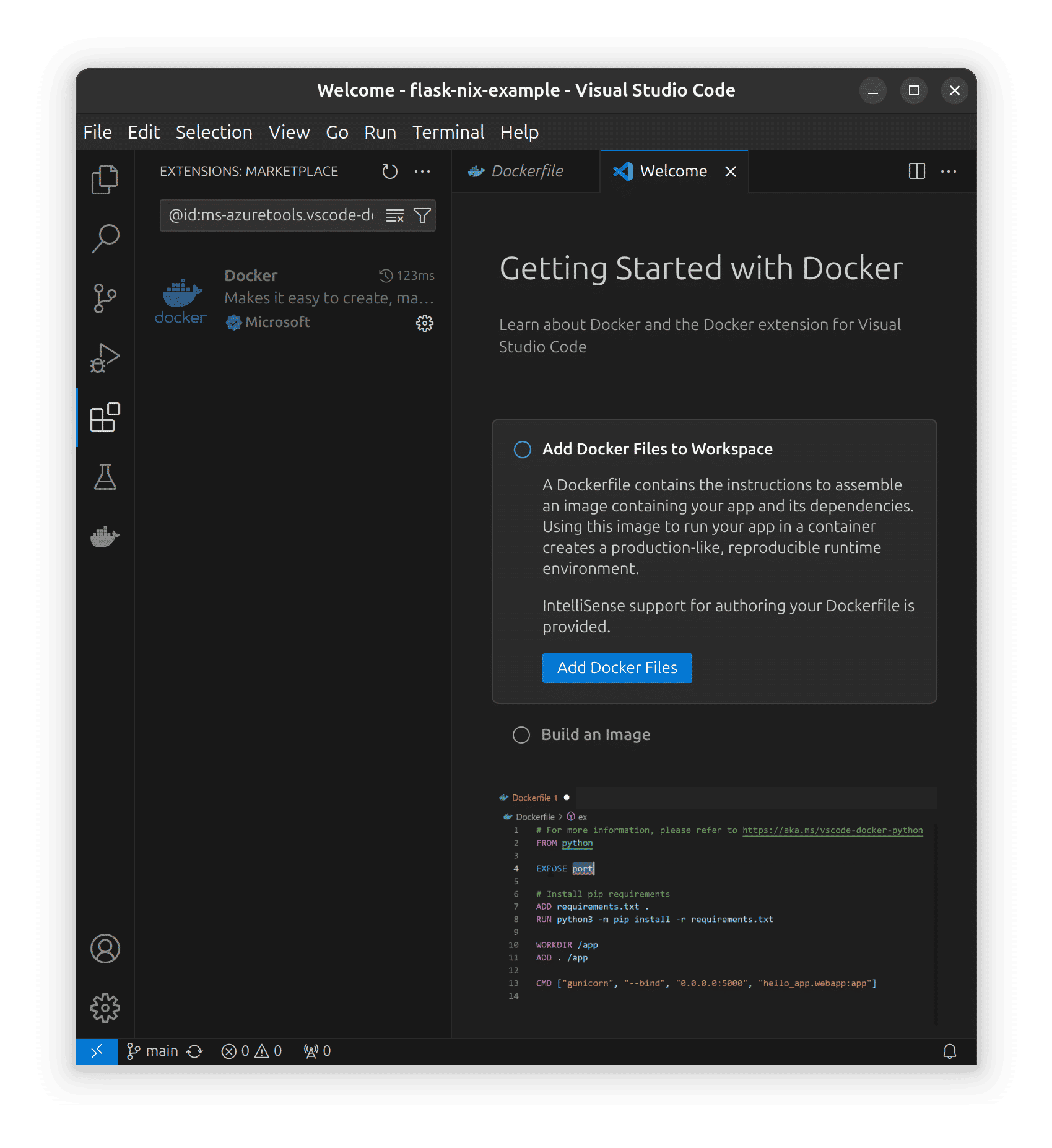
Docker focuses on Getting Started
Getting Started manages the Docker VS Code Extension, which immediately thrusts the user into Getting Started documentation.
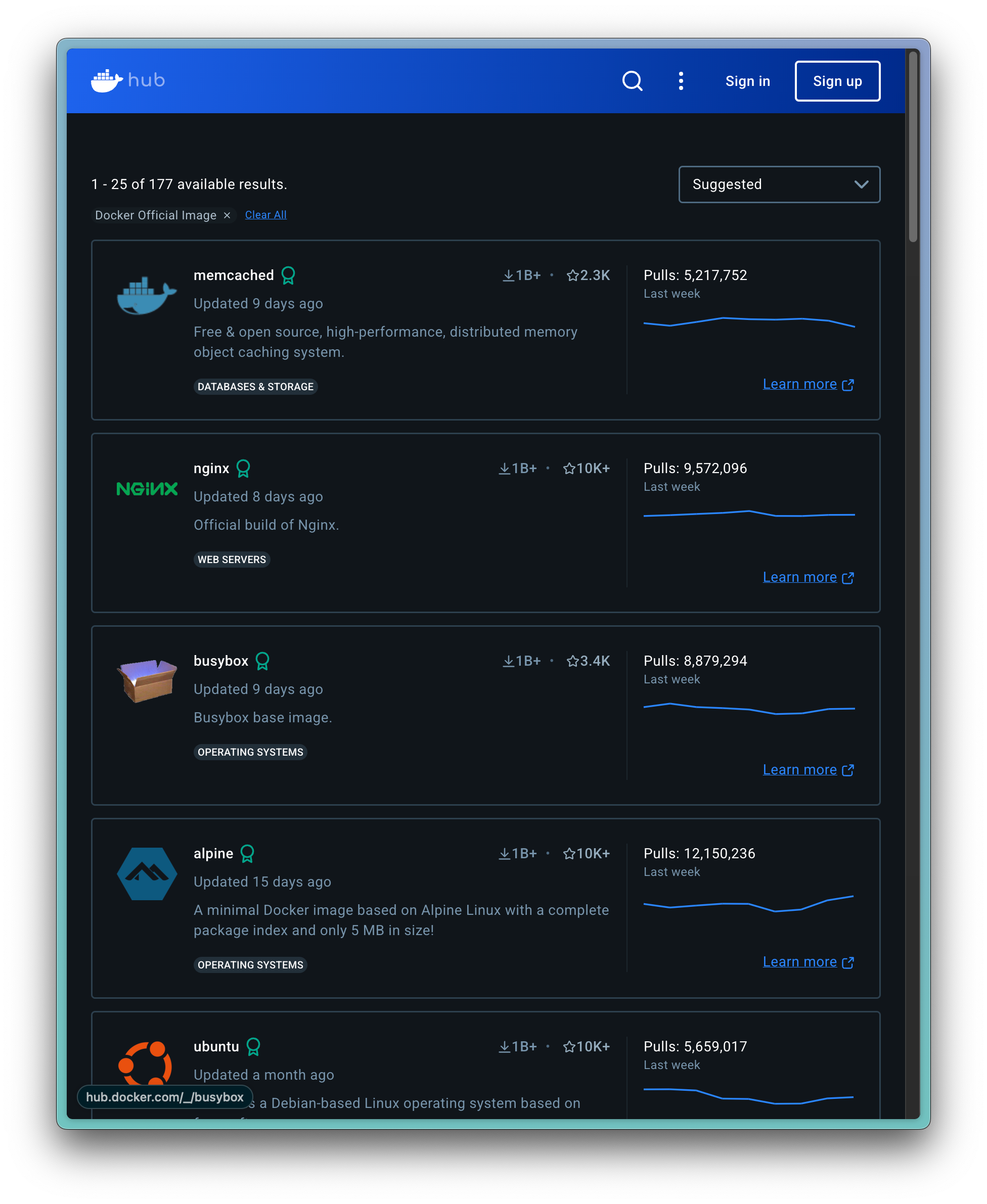
Docker Hub is an Input Marketplace
How Docker implements Platform Mechanisms. Container Images are a representation of the necessary technologies and code libraries necessary to run a program, a piece of software, or an application. To become more Platform-like, Docker created an Input Market, where people can post Images that help others get started with their software.
Value Proposition & Features
Docker is a platform for building, sharing, and running containerized applications that packages code and dependencies into portable containers that run consistently across environments.
[4jdw8x]
[d3c8mt]
It provides tools for developers and operators to standardize application environments, simplify deployment, and improve portability from laptops to data centers and clouds.
[4jdw8x]
[d3c8mt]
Core value proposition in 2–3 sentences:
- Docker enables developers to package an application and all its dependencies into a single container image that can run anywhere regardless of underlying system configuration. [4jdw8x]
Core product features (2–3 sentences each):
- Docker Engine & CLIDocker Engine is the runtime that builds and runs containers from images, with a command‑line interface providing operations such as
docker build,docker run,docker ps, anddocker execto manage containers on a host. [88n32c] It allows users to start, stop, inspect, and remove containers, enabling lifecycle management of containerized applications. [88n32c] - Images (for Containers like Docker) Management (Docker Images & Dockerfiles)Docker supports building container images using Dockerfiles, which define the base image, dependencies, and configuration required to run an application. [4jdw8x] [d3c8mt] These images encapsulate application code, runtime, libraries, and system tools into a consistent portable unit that can be stored, versioned, and reused. [4jdw8x] [d3c8mt]
- Docker Hub / Registry IntegrationDocker works with registries such as Docker Hub, where organizations publish and pull container images (for example, Wowza Streaming Engine images on Docker Hub are used via
docker pull). [88n32c] This enables distribution and reuse of prebuilt images across teams and environments, speeding up setup and deployment. [88n32c] - Networking & Port MappingDocker provides container networking capabilities, allowing containers to communicate and exposing container ports to the host with flags like
--exposeand--publishindocker run. [88n32c] This supports scenarios such as exposing web services or streaming endpoints from within containers to external clients. [88n32c] - Volume & Configuration ManagementDocker allows mounting host directories into containers using the
--volumeflag to persist logs, data, or configuration outside the container filesystem. [88n32c] It also supports environment variables (--env) to inject configuration like credentials and license keys at runtime without baking them into images. [88n32c] - Restart Policies & Lifecycle ControlWhen running containers, Docker supports restart policies like
--restart alwaysto automatically restart services if they stop, providing basic fault tolerance on a single host. [88n32c] [4jdw8x] Containers can be started, stopped, and removed (docker stop,docker start,docker rm), giving fine‑grained control over the runtime lifecycle. [88n32c] - Multi‑platform Support (including ARM)Docker supports pulling and running images for specific platforms, including ARM (
--platform linux/arm64), which is useful for running the same workloads across diverse hardware such as x86 servers and ARM laptops or devices. [88n32c] This expands the portability of containerized workloads beyond a single CPU architecture. [88n32c]
Priority feature bullets (5–8):
- Registry integration (e.g., Docker Hub) for pulling and publishing reusable container images. [88n32c]
- Networking and port mapping to expose container services to external clients. [88n32c]
- Volumes and environment variables for persistent data and runtime configuration. [88n32c]
- Restart policies and lifecycle commands for managing container uptime on a host. [88n32c]
Screenshots
No reliable source found for official Docker marketing or product screenshots that are clearly licensed for direct embedding and explicitly associated with the docker.com site.
Product Roadmap / Announcements
As of 2026-06-06,
No reliable source found for a public, date‑stamped Docker product roadmap or official announcement list within the past 6 months that is both specific and citable from the provided search results.
Recent Developments
No reliable source found in the provided search results for Docker‑specific news or feature announcements within the past 90 days.
History and Origin Story
Docker originated as an open‑source containerization technology focused on creating and running Linux containers, becoming one of the best‑known tools for packaging applications and their components into isolated containers.
[d3c8mt]
It evolved as part of the broader move from traditional virtualization to operating‑system‑level virtualization (“containerization”) to solve problems of portability and environment consistency between development and production.
[d3c8mt]
Market Sizing
Category, Market Size, and Category Growth
Docker is in the categories of software development tooling, DevOps, and specifically containerization / container management tools, providing OS‑level virtualization for applications via Linux containers.
[d3c8mt]
[4jdw8x]
More broadly it participates in the containerization and cloud‑native infrastructure market, which is described as an evolution of virtualization allowing isolation of software execution environments at the OS level.
[d3c8mt]
Competitive Landscape
Who it's for, who it's not for
Docker is for software developers, DevOps engineers, and IT teams who need to build, test, and run containerized applications with consistent environments across development, staging, and production, on laptops, servers, and in the cloud.
[4jdw8x]
[d3c8mt]
It is particularly useful where teams want lightweight, portable environments and need to standardize deployment workflows or run multiple isolated services on the same host.
[4jdw8x]
[d3c8mt]
Docker is less suited for organizations that only run monolithic applications on a single host without environment variability, or teams that require full virtual machines rather than OS‑level isolation due to strict kernel‑level customization or certain security/regulatory constraints.
[d3c8mt]
It is also not itself a cluster‑level orchestrator; large‑scale multi‑node management typically requires complementary tools like Kubernetes rather than relying solely on Docker.
[4jdw8x]
Viable Alternatives
- Podman / Buildah (Red Hat ecosystem) – Tools for building and running containers without a central daemon, preserving Dockerfile workflows while providing more fine‑grained control and daemon‑less operation. [ozq149]
- Traditional hypervisor‑based virtualization (e.g., VMware, KVM) – Not container tools, but a deployment alternative when full virtual machines are preferred over OS‑level containers for isolation or compatibility reasons. [d3c8mt]
Competitor Table
| Competitor | Description |
| Kubernetes | Open‑source system for automating deployment, scaling, and management of containerized applications across clusters, often used with images originally built via Docker. [4jdw8x] |
| Podman | Container engine that runs containers without a central daemon and supports building and running OCI containers, positioned as an alternative to Docker’s daemon‑based model. [ozq149] |
| Buildah | Tool focused on building and modifying container images without a daemon, maintaining Dockerfile‑style workflows while allowing detailed control over image creation. [ozq149] |
| Sources: [ozq149] [2gtm7y] |
Sources
[d3c8mt] IT containerization: Definition and guide - Qim info [4]: How Developers Use Docker for Local AI Development [5]: GitHub - linuxserver/docker-modrinth
[ozq149] Building containerized applications - Red Hat Developer [7]: CUDA Deep Learning - NGC Catalog - NVIDIA
[2gtm7y] "What are Docker Alternatives? | JFrog". 1 minute. JFrog.