


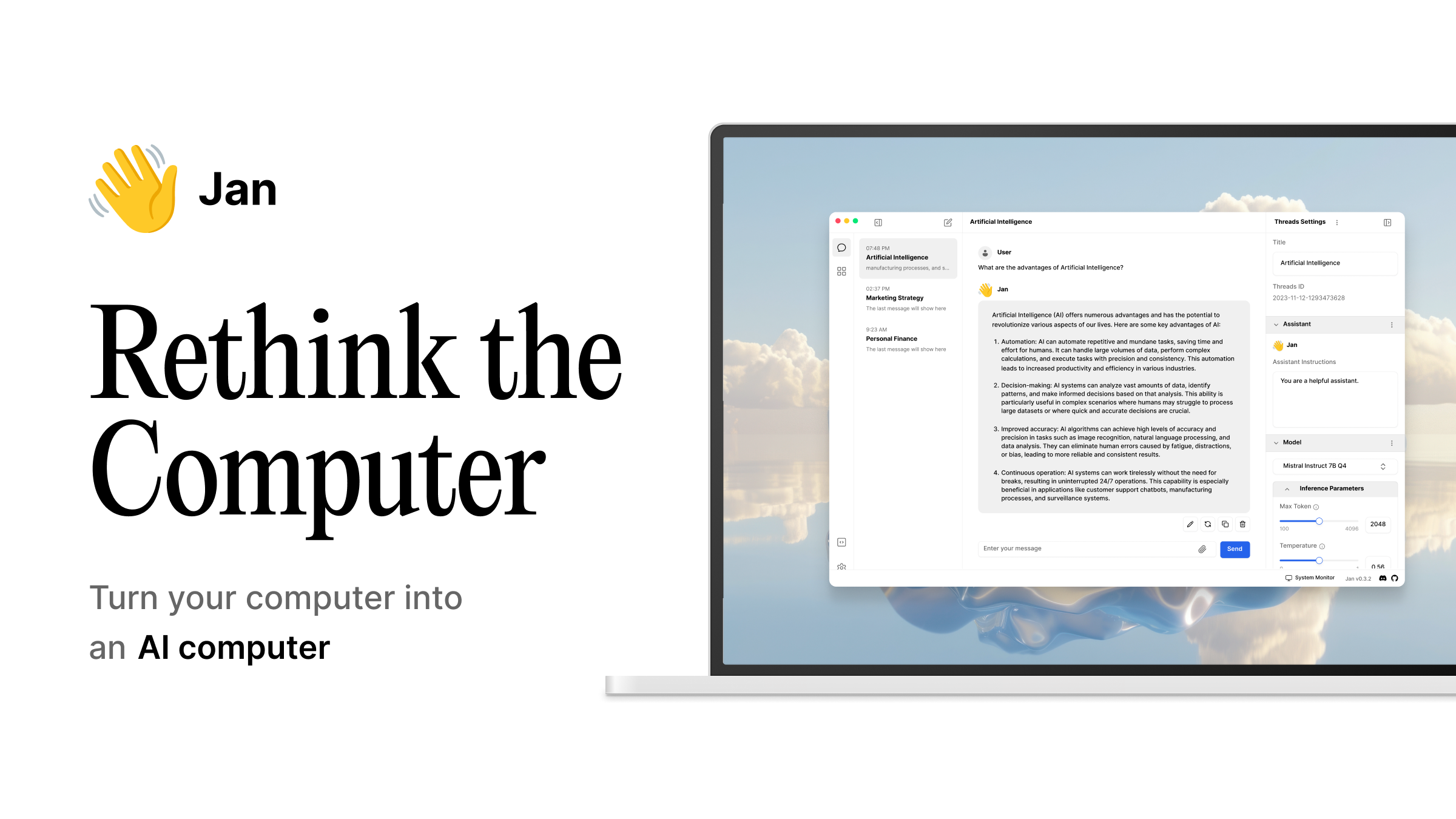
Open source ChatGPT-alternative that runs 100% offline - Jan
Value Proposition & Features
Value proposition (2–3 sentences)Jan.ai is an open‑source desktop application that lets you run large language models 100% locally on your own machine for private, offline AI chat.
[x8ejeu]
[o7jczb]
It targets users who want a ChatGPT‑like interface without sending data to the cloud, emphasizing local inference, privacy, and ease of use with no command line, Docker, or server maintenance required.
[x8ejeu]
[1zr6jp]
[o7jczb]
Core product features (2–3 sentences each)
- Local LLM runtime & chat interfaceJan.ai provides a desktop chat interface for running open‑source AI models locally, described as “a desktop application for running open source AI models locally” with a focus on individual, fully offline AI chat. [x8ejeu] Once a model is downloaded, it runs entirely on your machine with no internet connection required for inference, supporting private, unlimited usage. [x8ejeu] [1zr6jp]
- Model hub & one‑click installationUsers can install models from a built‑in Jan Hub by searching for a model (e.g., “gpt‑oss‑20b”), clicking download, and letting Jan “handle everything” including installation and optimization. [1zr6jp] This workflow is framed as “the simplest way to run AI models locally,” requiring “zero technical knowledge.” [1zr6jp]
- Hardware optimization & offline performanceJan automatically handles CPU/GPU optimization for local model inference so users do not need to tune low‑level parameters. [1zr6jp] Guides from Jan show it can run models like OpenAI’s gpt‑oss locally on consumer hardware for “private, offline AI conversations.” [1zr6jp]
- Optional cloud connections (hybrid use)Vellum describes Jan.ai as a desktop app that runs models 100% locally “with an optional connection to cloud AI services,” indicating support for hybrid setups where some models or features may use remote APIs if enabled. [o7jczb] This allows users to combine local privacy with access to higher‑end hosted models when desired. [o7jczb]
Key features (5–8 bullets, priority order)
- Open‑source desktop application (MIT‑licensed) from Menlo Research, allowing inspection and modification of the codebase. [o7jczb]
- Jan Hub for one‑click model installation, including models like OpenAI’s gpt‑oss, with automatic setup and optimization. [1zr6jp]
- Automatic CPU/GPU hardware optimization to improve inference performance without manual tuning. [1zr6jp]
- Optional connection to cloud AI services for users who want to mix local models with remote APIs. [o7jczb]
- Designed for individuals as an “individual, fully offline AI chat” experience, contrasting with more team‑ or server‑oriented tools. [x8ejeu]
Market Sizing
Category, Market Size, and Category Growth
Jan.ai fits primarily into the categories of open‑source personal AI assistant, local LLM desktop app, and self‑hosted / local AI tooling for individuals.
[x8ejeu]
[o7jczb]
Analyst‑grade market sizing for this exact subcategory is not available, but Jan.ai is frequently mentioned alongside tools like Ollama, AnythingLLM, and Tabby in articles about open‑source AI tools you can run on your own hardware, a segment that is growing with broader adoption of on‑device AI for privacy and cost control.
[x8ejeu]
[o7jczb]
Competitive Landscape
Who it's for, who it's not for
Jan.ai is for individual users who want a ChatGPT‑style assistant running fully on their own computer, prioritizing privacy, offline access, and open‑source tooling without needing command‑line or server skills.
[x8ejeu]
[1zr6jp]
[o7jczb]
It suits developers, power users, and privacy‑conscious professionals who are comfortable managing local models but prefer a GUI over low‑level tools like pure llama.cpp.
[x8ejeu]
[1zr6jp]
It is not ideal for large organizations that need team‑shared, multi‑user web interfaces, centralized admin, or large‑scale MLOps, where tools like Open WebUI or AnythingLLM’s server setup are better fits.
[x8ejeu]
It is also less suitable for users who require frontier‑scale proprietary models with guaranteed uptime and support, where fully hosted services like ChatGPT or Claude are typically preferred.
[x8ejeu]
[o7jczb]
Viable Alternatives
- AnythingLLM – Tool for RAG over your own documents with local or server deployment, stronger document‑centric and workspace features than a pure chat client. [x8ejeu]
- LM Studio – GUI application to run local models, listed as a “GUI alternative” to Jan for users wanting a graphical interface but not specifically Jan. [1zr6jp]
Competitor Table
| Competitor | Description |
| Ollama | Local LLM runtime with CLI and API, described as “the fastest path to running open source AI models locally,” aimed primarily at developers. [x8ejeu] |
| Open WebUI | Self‑hosted web interface providing a team‑shared private ChatGPT interface over local or remote models. [x8ejeu] |
| AnythingLLM | Open‑source tool for running local LLMs and performing RAG over your own documents, available via Docker or desktop. [x8ejeu] |
| LM Studio | Desktop GUI to download and run open‑source LLMs locally; referenced by Jan as a “GUI alternative” for local model use. [1zr6jp] |
| ChatGPT | Cloud‑hosted conversational AI from OpenAI, using proprietary models and requiring internet connectivity for inference and updates. [1zr6jp] [rm2vr6] |