


Datapad
Value Proposition & Features
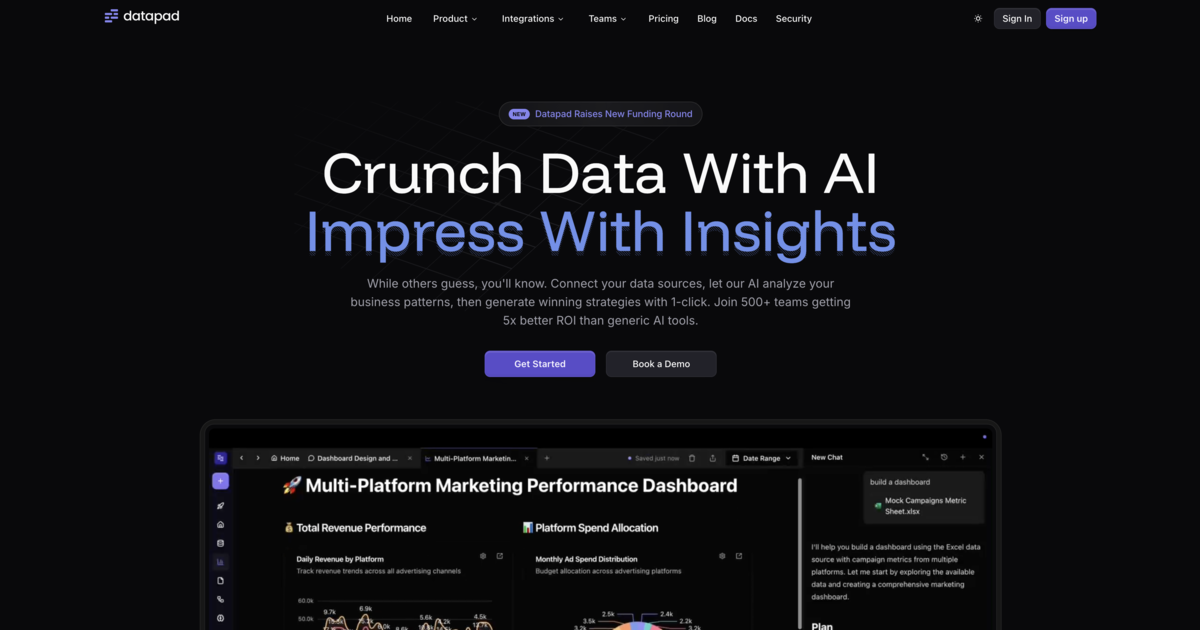
Datapad is an autonomous AI data analyst that connects to your data stack so you can ask questions in natural language and get instant, meeting-ready answers without waiting on BI or data teams.
[ljmq83]
It aims to eliminate "frustrating waits in critical meetings" by automatically understanding context, generating analyses, and surfacing relevant charts and insights on demand.
[ljmq83]
Core product features (2–3 sentences each):
- Natural language to analytics: Users ask questions in plain English and Datapad translates them into the appropriate queries against connected data sources, returning charts, tables, and narratives instead of raw SQL. [ljmq83] The tool is positioned as an autonomous analyst, meaning it not only answers the specific query but can proactively expand the analysis with follow‑ups and context. [ljmq83]
- Autonomous data agent behavior: Datapad behaves like an always‑on data analyst that can infer what you are trying to understand, pull the right data, and summarize key takeaways, reducing the need for manual dashboard building. [ljmq83] This agent-like behavior is designed for use in high‑stakes, real‑time discussion settings such as executive or team meetings. [ljmq83]
- Meeting‑centric workflow: The product is explicitly framed around time‑sensitive scenarios, with messaging focused on "critical meetings" where stakeholders need numbers and explanations immediately. [ljmq83] By giving "instant answers anywhere, anytime," it supports both planned reviews and ad‑hoc questions that arise mid‑conversation. [ljmq83]
- Data stack integration and utilities: Datapad connects into existing data systems (implied by its positioning as an AI data analyst and data‑utilities tool) so users do not have to move or export data to use it. [ljmq83] It is categorized as part of "Data-Agents," "Data-Analysis," "Data-Utilities," and "AI-Toolkit," indicating its role as an overlay on top of current infrastructure rather than a replacement warehouse or BI layer. [ljmq83]
Key features (priority-ordered bullets):
- Agent-style data exploration, with proactive context and follow‑ups beyond the initial question. [ljmq83]
- Integration with existing data stack as a data‑utilities layer rather than a standalone warehouse. [ljmq83]
Market Sizing
Category, Market Size, and Category Growth
Datapad most clearly fits into the AI analytics / augmented analytics / data-agent segment, sitting on top of existing data stacks to provide conversational, automated analysis rather than being a primary database or BI visualization tool.
[ljmq83]
Broader analyst coverage for this category (e.g., markets for augmented analytics, AI‑driven BI, or data agents) is available, but no source tied directly to Datapad at datapad.io provides specific market sizing or growth numbers for its exact niche.
Competitive Landscape
Who it's for, who it's not for
Based on its positioning, Datapad is for business stakeholders, product teams, and decision‑makers who regularly rely on data in fast‑moving meetings and want instant, conversational access to key metrics without depending on analysts in real time.
[ljmq83]
It also targets organizations with an existing modern data stack that prefer to add an AI “data agent” layer instead of rebuilding their analytics from scratch.
[ljmq83]
Datapad is likely not ideal for organizations that require deep, pixel‑perfect BI reporting, complex scheduled reporting pipelines, or highly regulated environments demanding detailed auditability and strict governance controls that are not described in its positioning.
[ljmq83]
It is also a weaker fit for teams without centralized analytical data, since the product assumes access to connected data sources that its AI agent can query.
[ljmq83]
Viable Alternatives
- Microsoft Power BI with Copilot / Fabric – combines BI dashboards with generative AI for natural language data exploration in organizations already on the Microsoft stack.
- Tableau with Tableau GPT – offers conversational analytics and AI‑assisted insights layered on top of Tableau’s visualization platform.
- ThoughtSpot – focuses on search‑driven analytics and natural‑language querying for business users without SQL skills.
- Looker with Looker Studio and AI assistants – provides semantic modeling plus conversational interfaces through Google’s AI tools for enterprises on Google Cloud.
Competitor Table
| Competitor | Description |
| Microsoft Power BI (with Copilot) | BI and analytics platform with integrated generative AI for natural language data exploration and report creation. |
| Tableau (with Tableau GPT) | Visual analytics platform that adds AI‑driven explanations and conversational querying through Tableau GPT. |
| ThoughtSpot | Search‑driven analytics tool enabling business users to type or speak questions and get charts and insights. |
| Looker / Looker Studio with Google AI | Semantic modeling and reporting tools on Google Cloud with conversational and generative AI layers. |
| Mode / Hex (with AI features) | Modern analytics platforms for data teams that incorporate AI to assist with querying, analysis, and narrative insights. |