Servers
Explaining Cloud Servers for different audiences
For a Grandmother:
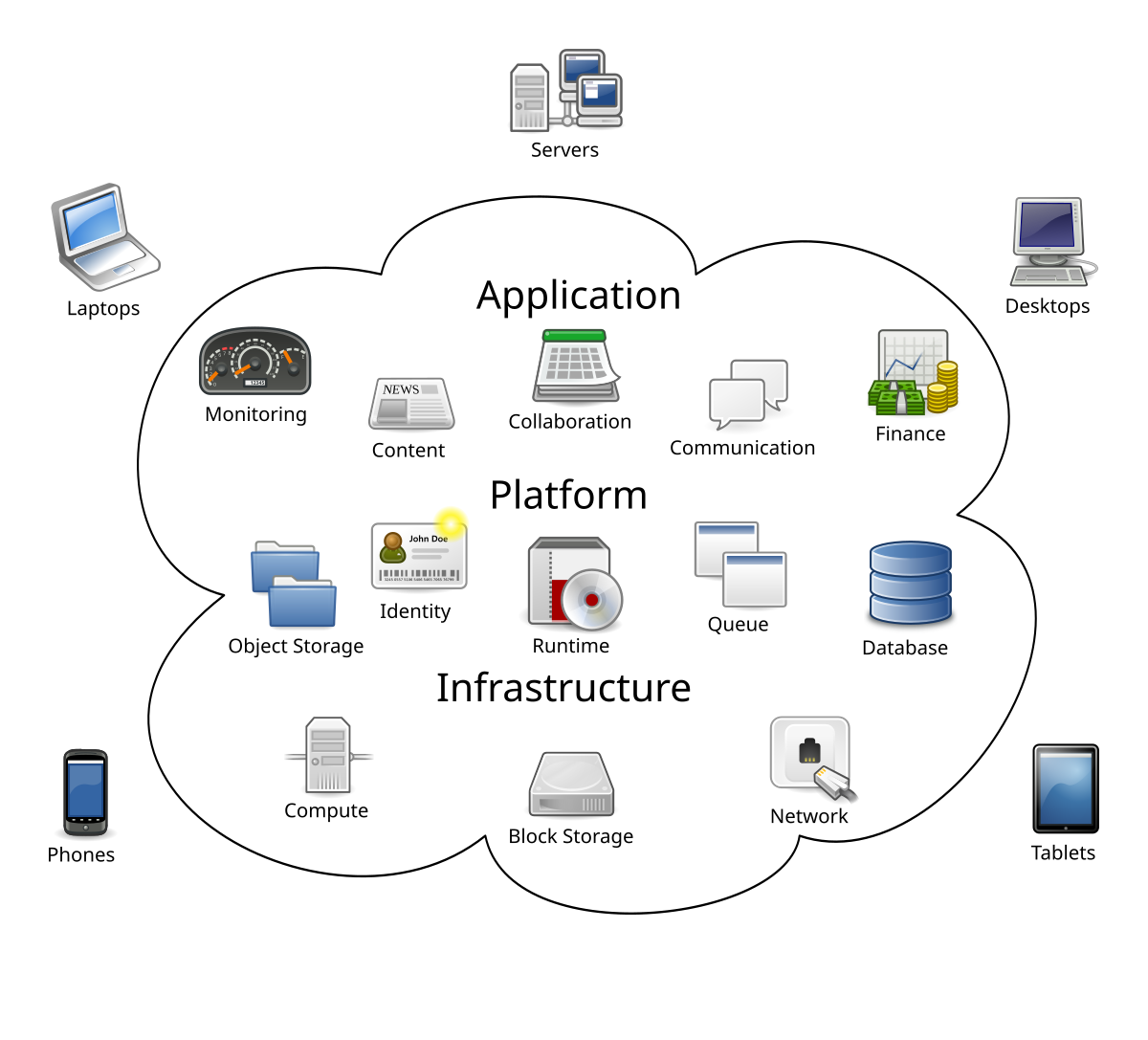
For a College Computer Science Student:
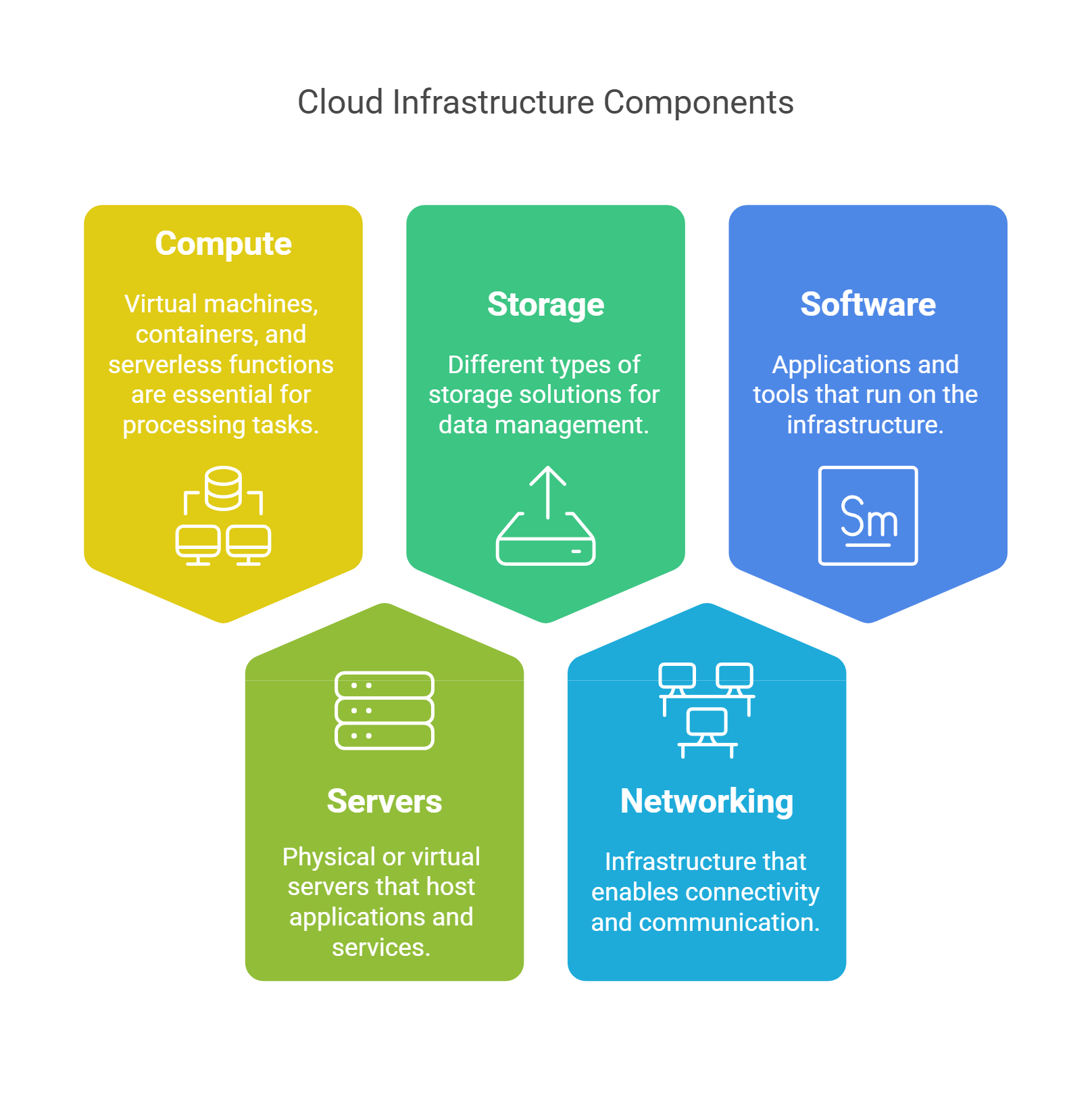
Market Growth in Servers and Data Centers
- Overall Growth: The demand for cloud servers and data centers has skyrocketed in recent years, driven by digital transformation, remote work, video streaming, AI/ML workloads, and more.
- Spending: Global spending on servers grew significantly, with cloud providers investing billions in new data center construction and hardware to handle increased demand for computing power and storage. [94iq45]
- Market Size: The global cloud services market was valued at hundreds of billions of US dollars and continues to expand at a double-digit annual growth rate, with projections suggesting even faster growth in the coming years.
- Adoption: Enterprises increasingly shift from on-premises servers to cloud infrastructure, attracted by scalability, cost savings, and ease of management. [hch8c4] This shift has accelerated the construction of hyperscale data centers worldwide.
- Sustainability: Major providers are also investing in green data center technologies to manage the environmental impact of this explosive growth.
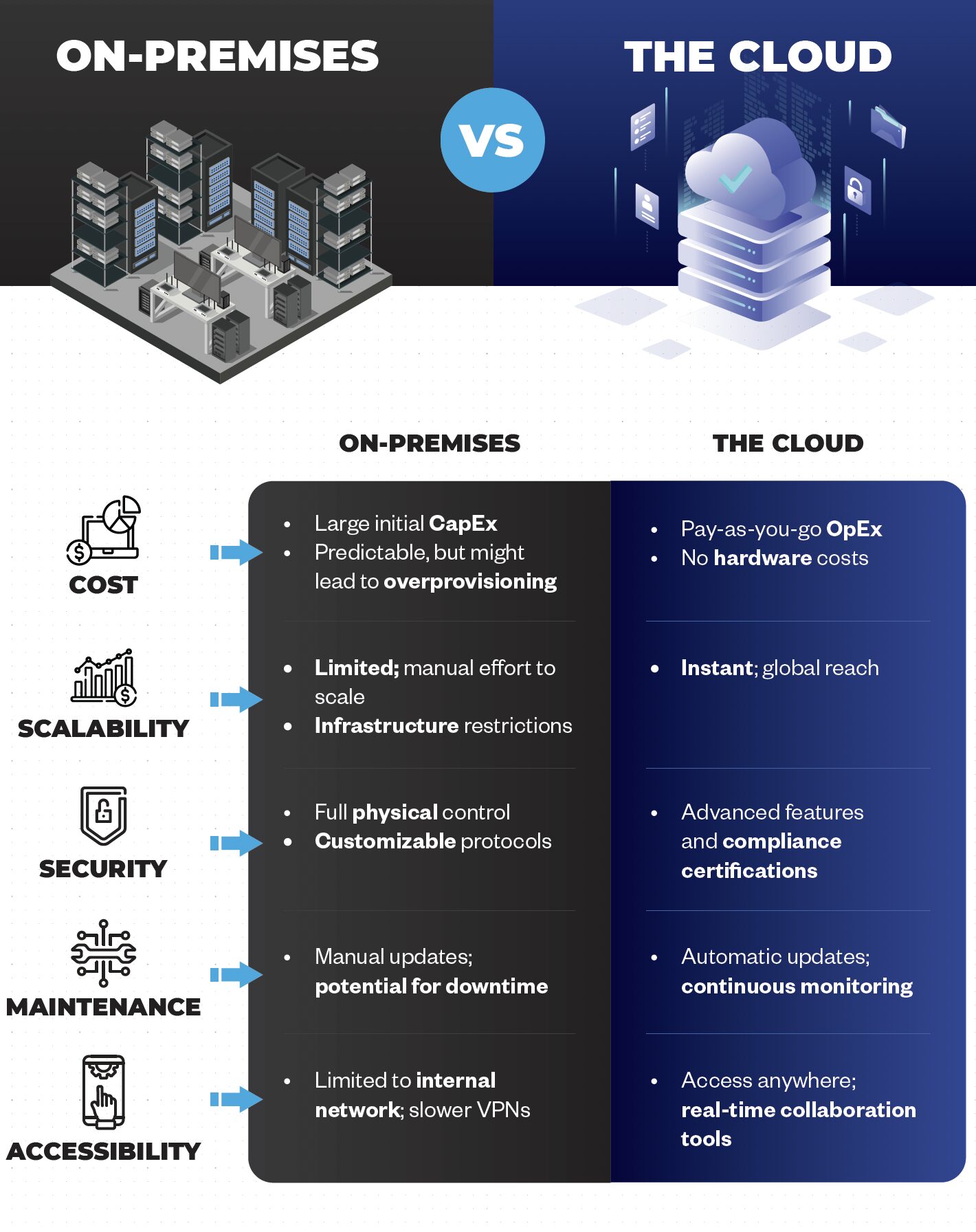
Summary Table: Traditional vs. Cloud Servers
| Feature | Traditional Servers | Cloud Servers |
| Location | On-premises (local company) | Remote, provider-managed |
| Ownership | Purchased and managed by organization | Rented, managed by provider |
| Maintenance | DIY maintenance and upgrades | Provider handles maintenance |
| Scalability | Limited, fixed capacity | Highly scalable, on-demand |
| Cost Model | Upfront capital expense | Pay-as-you-go operating cost |
| Access | Local network | Anywhere with internet |
| Virtualization | Optional | Core technology |
Key Takeaways
- The market for these servers and data centers is booming , with rapid expansion fueled by digital needs and cloud adoption. [94iq45]
- Visuals help bridge the gap : from simple analogies for non-tech users, to technical system diagrams for students and professionals.
Core Role of a Server
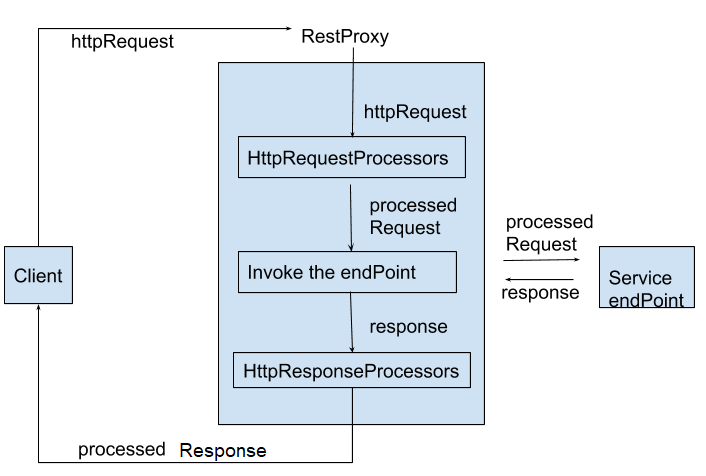
- Receives Requests: A client (such as a web browser or mobile app) initiates communication by sending an HTTP request for a specific action or resource (like viewing a webpage or submitting a form).
- Processes Requests: The server validates the request, may interact with databases, run business logic, or perform computations as directed by the request.
- Sends Responses: After processing, the server formulates an HTTP response containing a status code (success, error, etc.), headers (metadata), and a body (the requested data or error message), and sends it back to the client.
- Enables User Experience: Clients use the response to render information for the user or take further actions, such as displaying a webpage or confirming form submission.
Request-Response Example & Visualization

- Imagine a diagram showing a client sending a request to a server and then the server returning a response.
- It often includes key steps: DNS resolution (finding the server’s IP address), establishing a network connection, and following the HTTP request-response cycle .
Practical Example
-
- The browser ( client ) sends a GET request to the server for the homepage.
- The server processes this request: fetches the HTML file (sometimes after reading from a database), builds a response message, and sends it back.
- The browser receives the response and renders the page for you to see.
-
Key Details in Request and Response
- Request Structure: Includes a method (GET/POST etc.), a URL, headers (providing context or authentication), and—in some cases—a body with additional data (like form parameters).
- Response Structure: Consists of a status code (e.g., 200 OK, 404 Not Found), headers (such as content type or caching instruction), and a body (the main content or error details).
Additional Supporting Content

- A detailed flowchart or table might show:
- Client connects to server using TCP (three-way handshake).
- Client request → server validation and logic → server response → client uses or displays data.
-
- Common status codes help users and developers diagnose issues:
- 200 OK: Success
- 404 Not Found: Resource missing
- 500 Internal Server Error: Server-side problem.
-
Summary Table: Server Role in Typical Application
| Stage | Server Action | User/Client Experience |
| Request received | Parses and validates request | Initiates action |
| Processing | Runs logic, queries database, etc. | Waits for result |
| Response sent | Crafts and sends response message | Sees result (page, data) |
Citations
[hch8c4] 2025, Oct 09. Cloud Infrastructure Defined - Catchpoint . Published: 2024-01-01 | Updated: 2025-10-09
[sxcnw7] 2025, Oct 10. What is Cloud Infrastructure? - AWS . Published: 2025-09-29 | Updated: 2025-10-10
[6drb16] 2025, Sep 26. What are Cloud Servers and Digital Infrastructure - Divio . Published: 2023-07-03 | Updated: 2025-09-26
[odr63l] 2025, Oct 10. What is Cloud Infrastructure? | Microsoft Azure . Updated: 2025-10-10
[94iq45] 2025, Oct 10. What Is Cloud Infrastructure? - Oracle . Published: 2024-12-20 | Updated: 2025-10-10
[el7pq5] 2025, Sep 24. What Is a Cloud Server? | IBM . Published: 2021-09-17 | Updated: 2025-09-24