


Collaborative Whiteboards
(2025-11-21T21:38.346Z)
Perplexity Query
(2025-11-21T21:38
.346Z)
Question:
Write a comprehensive one-page article about "Collaborative Whiteboards".
Model: sonar-pro
Collaborative Whiteboards: Unlocking Real-Time Teamwork in the Digital Age
Collaborative whiteboards are interactive, cloud-powered platforms that allow multiple users to simultaneously create, edit, and share content in real time, regardless of physical location[1][2]. These digital tools have become increasingly significant as remote and hybrid work environments grow, providing teams with visual, dynamic spaces for co-creation and problem-solving[1][2].
The Concept of Collaborative Whiteboards
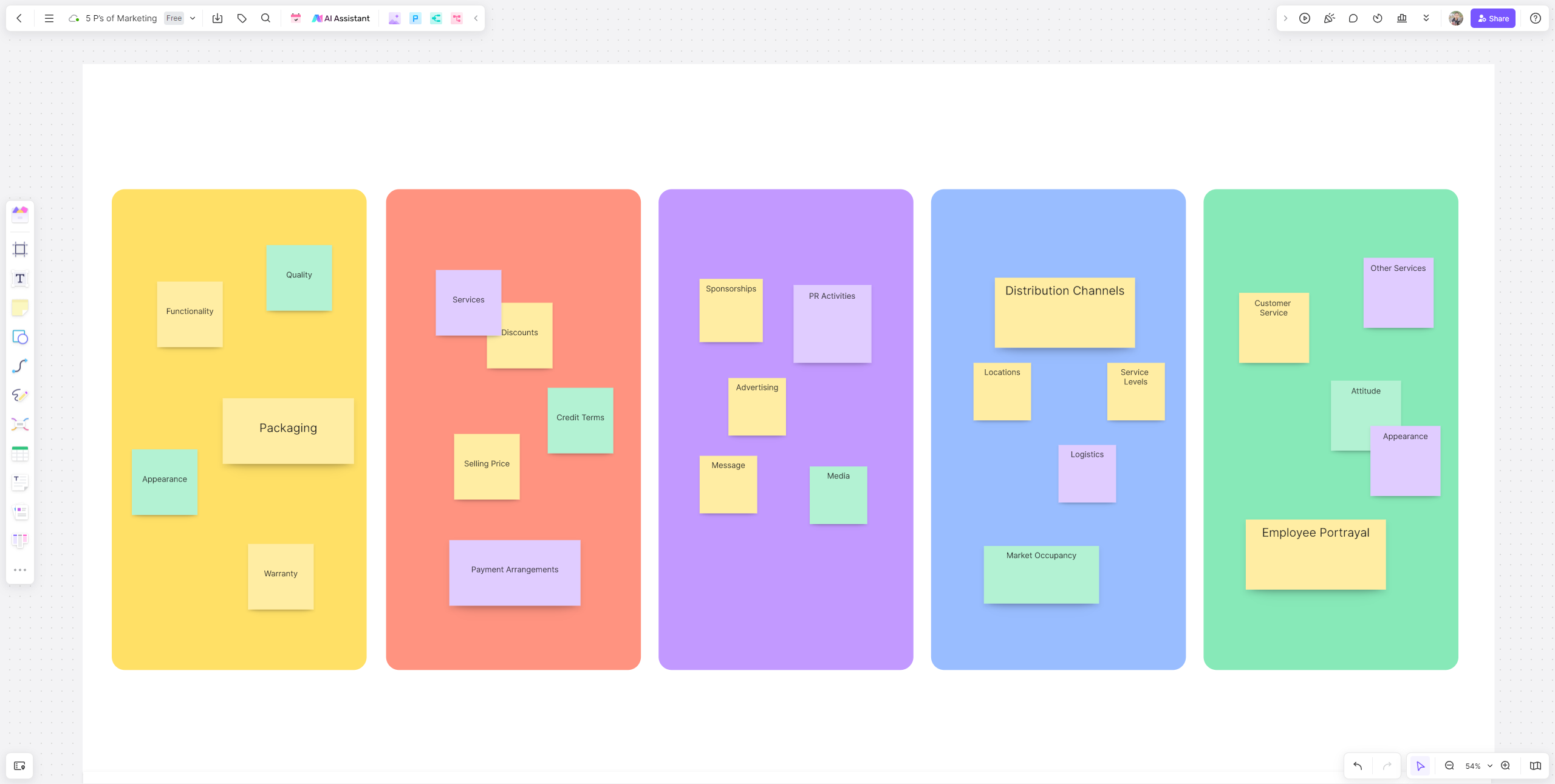
At their core, collaborative whiteboards function as shared digital canvases accessible from any internet-connected device[1]. Participants can draw, write, annotate, upload files, and interact with multimedia elements using intuitive tools such as pens, erasers, sticky notes, templates, and shapes[1]. Real-time synchronization ensures that every contribution is instantly visible to all collaborators, mimicking and frequently surpassing the utility of traditional physical whiteboards[1][3].
Practical Examples and Use Cases:
- Project Planning: Teams map workflows, set timelines, and allocate resources using visual templates, improving project management transparency[5].
- Brainstorming Sessions: Creative groups ideate and iterate collaboratively, with each member adding ideas and feedback instantly[4][9].
- Remote Classrooms: Educators engage students in active learning, allowing everyone to contribute to discussions and problem-solving exercises on the same digital surface[6].
- Architecture and Design: Firms sketch concepts and get immediate feedback, speeding up design cycles and reducing miscommunication[1][4].
- Government and Public Sector: Departments coordinate policies and annotate documents collaboratively, even across agencies[4].
Benefits and Applications
The adoption of collaborative whiteboards offers several distinct advantages:
- Enhanced Team Collaboration: Fosters inclusive, real-time engagement and decision-making, leveling participation for distributed teams[1][2][3].
- Universal Access: Cloud-based systems ensure continuity; work can continue asynchronously as team members add notes and feedback on their own schedules[2].
- Efficiency and Productivity: Visual interfaces clarify ideas, reduce bottlenecks, and streamline workflows, resulting in quicker project delivery[2][4][5].
- Integration: Seamless compatibility with other productivity tools and communication platforms (such as Zoom, Teams, Slack) minimizes context-switching[4].
- Security: Robust permission controls and encrypted access protect sensitive information shared on boards[2].
Challenges and Considerations
Despite these benefits, challenges remain:
- Learning Curve: Some users may require time to get comfortable with new interfaces and toolsets.
- Device Dependence: Reliable hardware and internet connectivity are essential for optimal performance, which can present accessibility barriers.
- Data Privacy: Organizations must navigate cloud security, privacy regulations, and administrative controls to safeguard their information[2].
Current State and Trends
Today, collaborative whiteboards are widely adopted across sectors, from education and enterprise to design and public policy[6][4]. Leading technologies include platforms like Miro, Padlet, Google Jamboard, Microsoft Whiteboard, and Mural, which combine user-friendly interfaces with advanced features such as handwriting recognition, infinite canvases, and integration with external productivity apps[6][4].
Recent Trends:
- Artificial Intelligence (AI) Enhancements: Some platforms now auto-convert handwritten notes to text or rough sketches into precise diagrams, further improving usability[4].
- Hybrid Work Integration: Tools increasingly focus on bridging the gap between remote and in-office teams, supporting both synchronous and asynchronous collaboration[2].
- Cross-Device Accessibility: Compatibility with desktops, tablets, and smartphones enables anytime, anywhere teamwork[2].
Future Outlook
The future of collaborative whiteboards will likely see deeper integration with AI, expanded immersive experiences through augmented reality (AR), and seamless cross-platform collaboration. As organizations continue to embrace distributed work models, these platforms will become central to knowledge sharing, innovation, and teamwork, impacting productivity and communication on a global scale[1][4].
Conclusion
Collaborative whiteboards are transforming how teams share ideas, solve problems, and drive projects forward in the digital era. As technology and work norms evolve, these platforms will remain vital for connecting people and empowering creativity, wherever they are.
Citations
[1]: 2025, Nov 19. What is a Collaborative Whiteboard? - Boardmix. Published: 2024-01-01 | Updated: 2025-11-19
[2]: 2025, Nov 21. 10 Benefits of Using a Digital Whiteboard for Team Collaboration. Published: 2025-07-17 | Updated: 2025-11-21
[3]: 2025, Sep 27. 7 Key Benefits of Using a Software Whiteboard for Scheduling. Published: 2023-08-02 | Updated: 2025-09-27
[4]: 2025, Nov 19. Collaborative Whiteboards: What You Need to Know - Vibe Board. Published: 2025-04-01 | Updated: 2025-11-19
[5]: 2025, Nov 15. What are the benefits of using an online whiteboard? - Klaxoon. Published: 2022-01-01 | Updated: 2025-11-15
[6]: 2025, Oct 18. Collaborative Digital Whiteboards | Academic Technologies. Published: 2025-10-01 | Updated: 2025-10-18
[7]: 2025, Sep 07. Remote Whiteboarding: What Is It, How To Use It and Features. Published: 2025-07-26 | Updated: 2025-09-07
[8]: 2025, Nov 01. 8 Business Benefits of Interactive Whiteboards in Conference Rooms. Published: 2020-01-07 | Updated: 2025-11-01
[9]: 2025, Nov 21. Virtual Whiteboard for Productive Team Collaboration - Mural. Published: 2025-01-01 | Updated: 2025-11-21